The Linux Desktop Experience: An 8 Years Retrospective
Reflecting on my 8-year journey with Linux desktops.
Happy (late) New Year, everyone! I just happened to remember the first time I used Linux in 2018. It’s been 8 years since then, so I thought I’d write a retrospective on my experience.
2018: The first encounter
It was when I entered university, my father gave me an old laptop that he no longer used. It was a Compaq Presario, which was pretty old even back then. Before handing me the laptop, he asked me if I want to try Linux. Back then I was already aware of Linux, but never actually used it. I said yes, and he installed Xubuntu 16.04 LTS on it for me.
Back then I don’t really know anything about Linux, just that it exists. The first thing that came to my mind was “How do I play games on this?”. I searched around and found out that I can install ZSNES with just sudo apt install zsnes. I was very excited, just type one line into a program called “Terminal”, and you got the program installed! But other than that, I didn’t explore much.
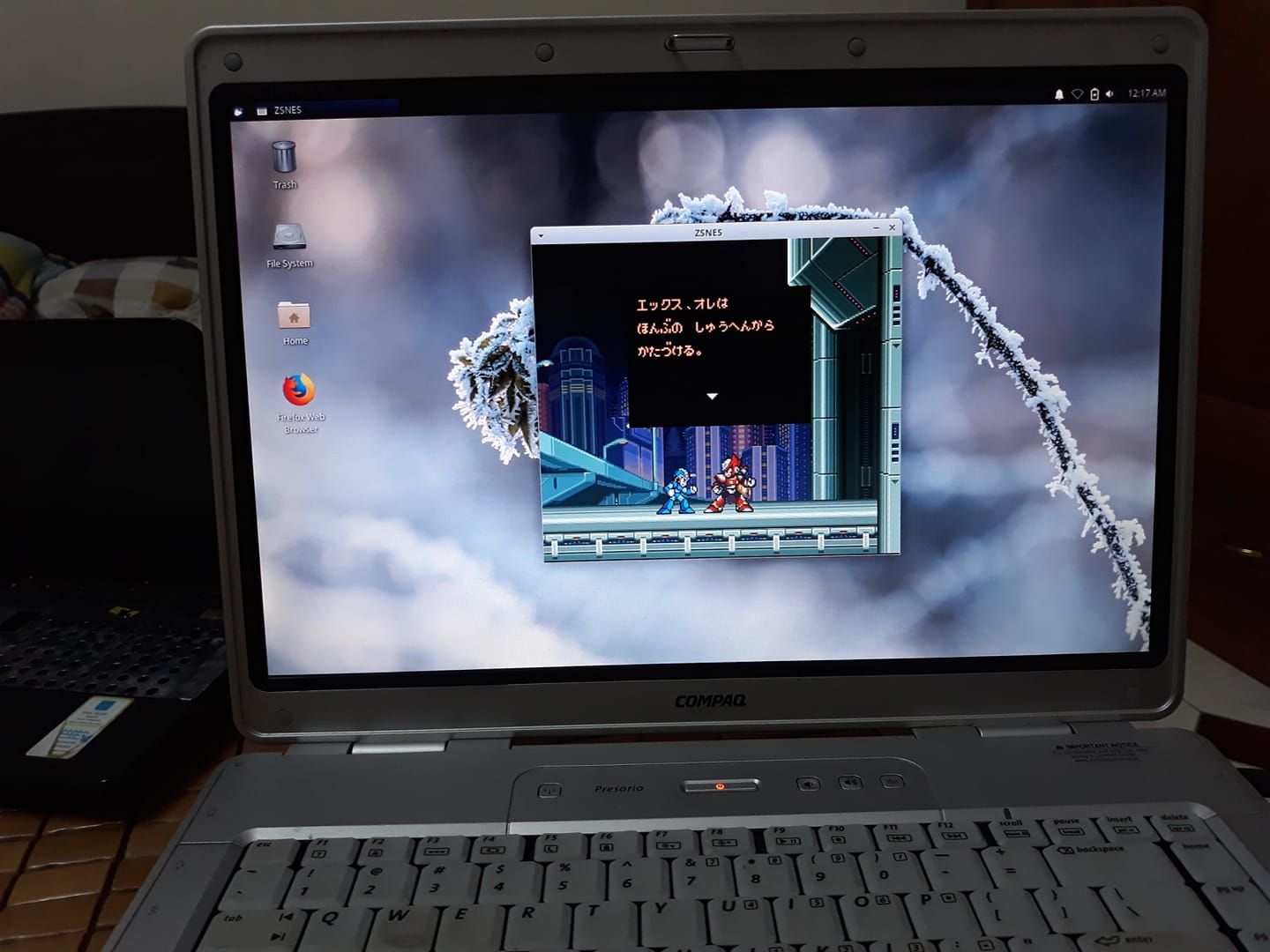 Xubuntu 16.04 LTS, running Rockman X3 via ZSNES
2019: The (actual) Beginning - Ubuntu/GNOME
When I started 2nd year at university, I thought of installing Linux on my main PC. I actually did not know what my father installed on the Compaq Presario, so it was basically starting over for me. For a newbie searching over the web, “Ubuntu” and “Linux” was pretty much synonymous. I went with Ubuntu 18.04 LTS as it was the most popular choice then. I was not ready to go full Linux yet, so I opted for dual boot. That was my first step.
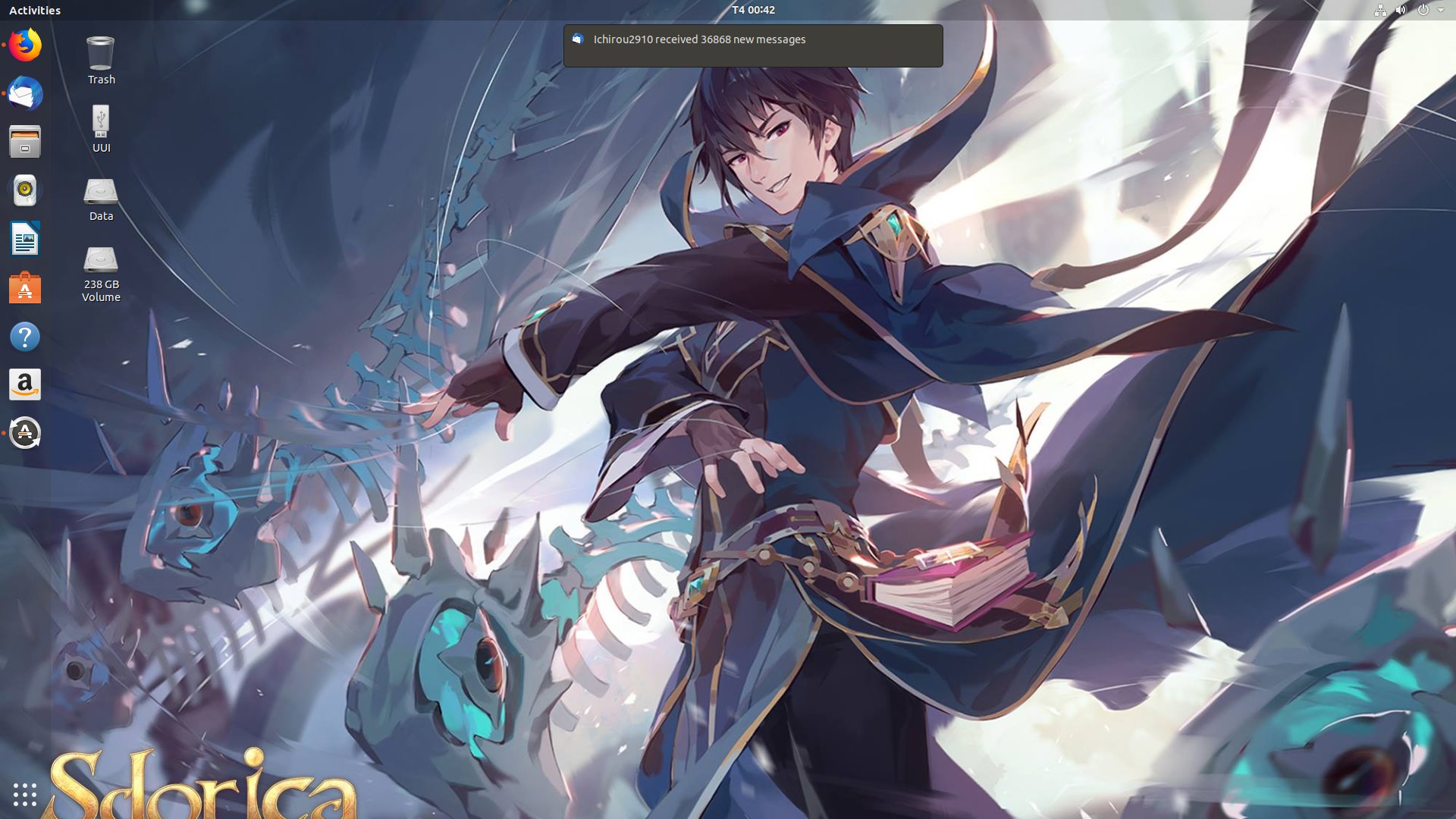 Ubuntu 18.04 LTS Desktop
Before using Linux, I already had enough experience with Windows. Basic navigation and file management were not a big deal, they just use different apps. However, when it comes to installing other software, it started to get tricky. In Windows, most of the time you just have to download an installer and run it. Here in Ubuntu, I had to learn about apt, dpkg and PPAs. It was quite frustrating at first, but I got used to it eventually. It all boils down to reading the instructions carefully and knowing where the app came from. Though at some point I did wonder why the ecosystem is so fragmented.
After a few months, I got more comfortable with Ubuntu and Linux in general. I installed more apps and drivers (I was using Nvidia GTX 1060 back then). I didn’t really know why, but installing stuff via the terminal felt so much more intuitive than using the Software app. I also tried some themes and icons. I remember testing out Yaru and Material Design theme with Papirus Icons and they were both great. The first few months were basically me tinkering with Linux commands and customizing the UI look and feel.
2020: Arch - i3/AwesomeWM
With my newly acquired knowledge of Linux, I became more aware of what I was using. So Ubuntu is a distro, based on Debian, and the desktop I’m seeing is called GNOME. The “Linux” itself is just the core inside. That thing on the Compaq laptop was Xubuntu, which is also Ubuntu but with XFCE. I started feeling more adventurous and want to try other distros.
That was when I discovered Arch Linux through a YouTuber named Luke Smith. Arch was known for its simplicity and customization, so I decided to give it a try. The ArchWiki was a great resource, but absorbing so many new knowledge at once was really overwhelming. After a few tries I managed to install it. I was going to install GNOME just in case, but having watched like, most of Luke’s videos about Linux, I thought “Nah, I would embrace Minimalism” and jumped head first into what’s called i3wm. So this whole time I have been using a “stacking window manager”. On the other hand, i3 is a “tiling window manager”, which automatically arranges windows into “tiles”.
 Arch Linux with i3wm + polybar, running neofetch and ranger
Again, thanks to Luke Smith, I learned about “ricing” and “dotfiles”. It was like a whole new world. I would spend days customizing my desktop (and neovim), finding tools to replicate features from GNOME, scrolling through r/unixporn and copying configs from other people. It was almost addictive. I also found out about the concept of “workspace”, which is like the “Virtual Desktop” in Windows. Up until then I would just Alt+Tab between windows. i3 taught me about organizing apps into workspaces, since you at most would have only 3-4 windows open at one screen, any more than that the window would be too small to use.
However, after some time, I came to realize that i3 was not for me, or could I say that tiling WMs in general were not for me. It’s not really about the learning curve, but rather the workflow. I found myself spending more time finding the better way to manage windows than actually using them, especially when Ihave to deal with apps and games that do not play well with tiling WMs, where I had to manually add a rule to make it float.
After a while, I switched to AwesomeWM, which is also a minimalistic WM, but is more flexible. It can do both tiling and stacking. Of course I didn’t touch the tiling part, but stayed within my comfort zone of stacking windows.
 AwesomeWM
Using AwesomeWM was more similar to using a traditional desktop environment, but with more customizability. I would customize my desktop to look more like a DE, having a taskbar, system tray, app launcher, etc. I found that to be a good middle ground between customizability and usability.
KDE Plasma
The joy of ricing my desktop gradually faded as I started to have more important things to do, studying for exams, working on projects, etc. I still sticked with Arch Linux for its simplicity and the great AUR, but I stopped tinkering with dotfiles. I found myself looking for a more complete desktop environment that looks great out of the box while still having enough customizability. That’s when I switched to KDE Plasma.
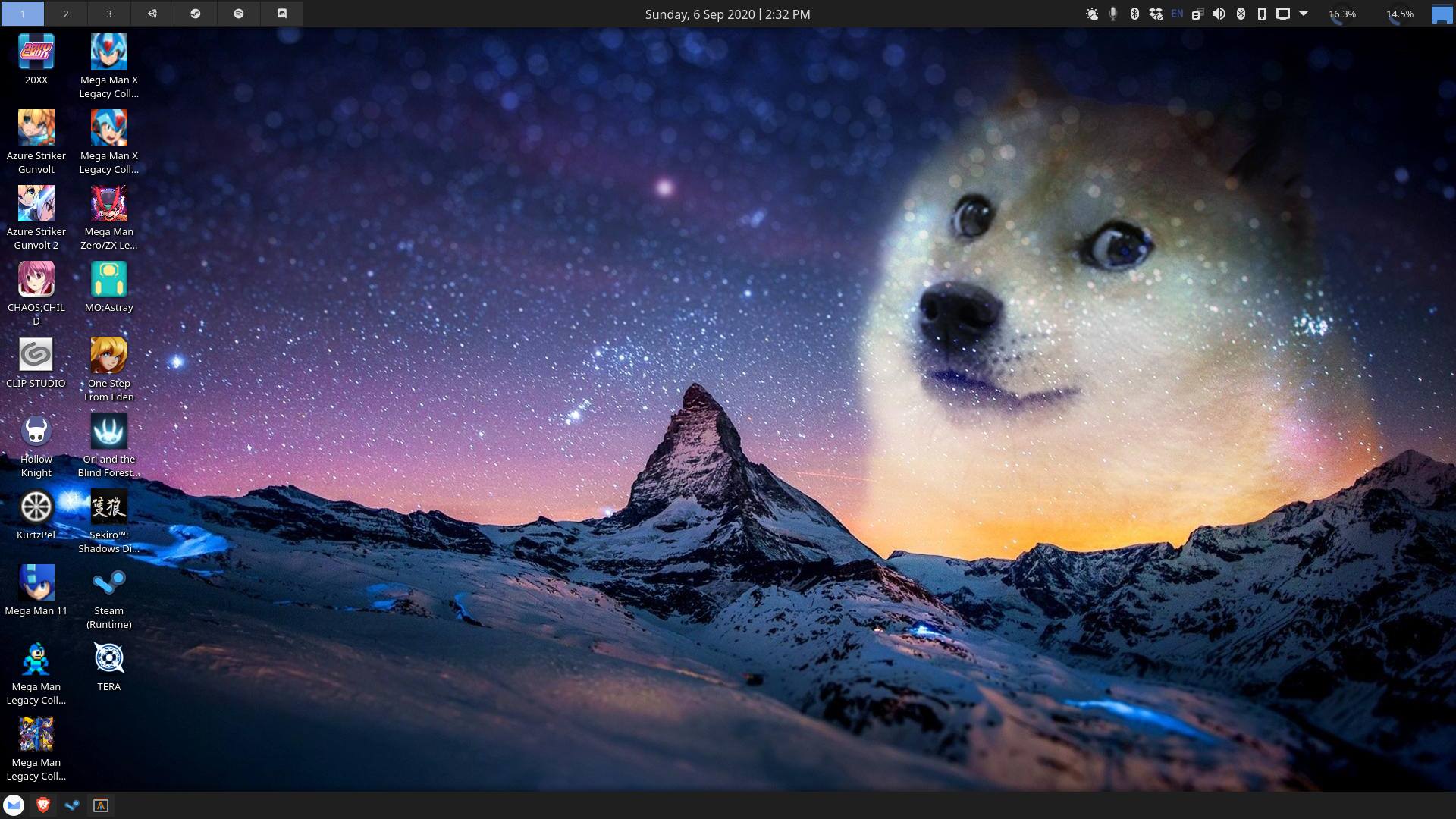 KDE Plasma
My impression of KDE is that it’s like “The Windows of Linux”. It looks like Windows, providing a similar experience to Windows, but still leaves a lot of rooms for customization. The only difference is that it’s configured through GUI instead of text files. Around that time I only used one machine, so I didn’t find that a problem. I ditched the whole dotfiles thing and just used KDE like back when I used Windows (I still install things via pacman/yay instead of Discover though). Yes I really went full circle with this one.
2021: The ol’ reliable Openbox
KDE handled a lot of things for me, like themes and stylings. It’s like I can finally stop caring about configuring and just let it serve me. To the point that I really considered settling down with it, but boy how wrong I was.
Some day in 2021, I stumbled upon this r/unixporn post.
At that time, it was as if a flame reignited within me. All those memories of ricing and customizing just came flooding back. I have decided. I have to give it a try. It’s crazy how all it took was a single post to make me want to try Openbox.
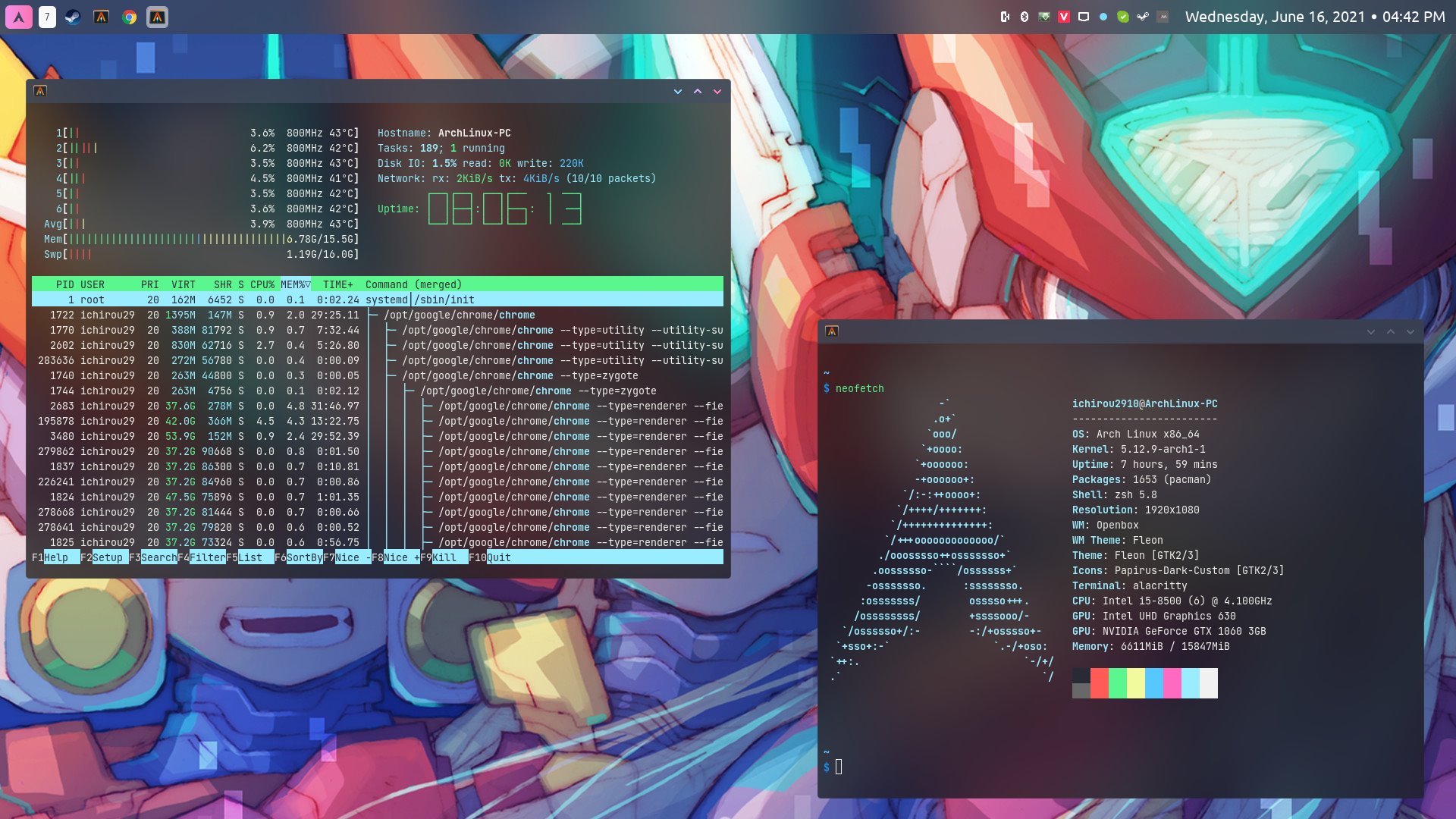 Openbox + picom + tint2, running neofetch and htop
My experience with Openbox was like I had finally found the missing piece of the i3/AwesomeWM days. It’s just very comfortable to use, while being very lightweight. Maybe if I had researched more about AwesomeWM, I could have achieved the same experience. But here I was, using Openbox and loving it. It came to my sense that while KDE Plasma was very customizable, it was also very “bloated”, or rather, that’s because I installed the plasma-meta package. It came with lots of apps/features that I wouldn’t use. Instead of trying to consider which app to uninstall, I figured it will be better if I just uninstall everything and start again. I installed all the standalone apps that I really liked and would personally use, such as rofi, tint2, pcmanfm, feh, ncmpcpp, zathura. Some of these apps I have used before since the i3 days. All of them were lightweight, does one thing and does it well, which is all I could ask for.
You may also noticed that over time, my desktop’s aesthetics have changed a lot, from colorful bars containing lots of widgets with aggresive padding/rounded corner to just a single bar with enough information. My taste did take some turns as I encountered more “aesthetically pleasing” designs. I guess I wasn’t so minimalistic like I thought I was.
2024: Chasing Wayland - KDE Plasma again
You also saw that jump of years right? Openbox really was the WM that I used the longest. For a very long time there was not any thought of jumping again, even though I have seen a lot of new fancy stuff emerging during those time. Maybe this is the one for me right? Nah, life took some unexpected turns again.
Some time in 2024, there was a big push for Wayland adoption, with big names like GNOME, KDE Plasma, Sway, etc. leading the way. I was intrigued by it, being the “next generation” display server protocol. One thing I haven’t mentioned in this post, is that while my desktop was evolving, so was my hardware a.k.a my PC setup. I graduated in 2023, and I was already working before that. Since then I have been upgrading my PC bit by bit.
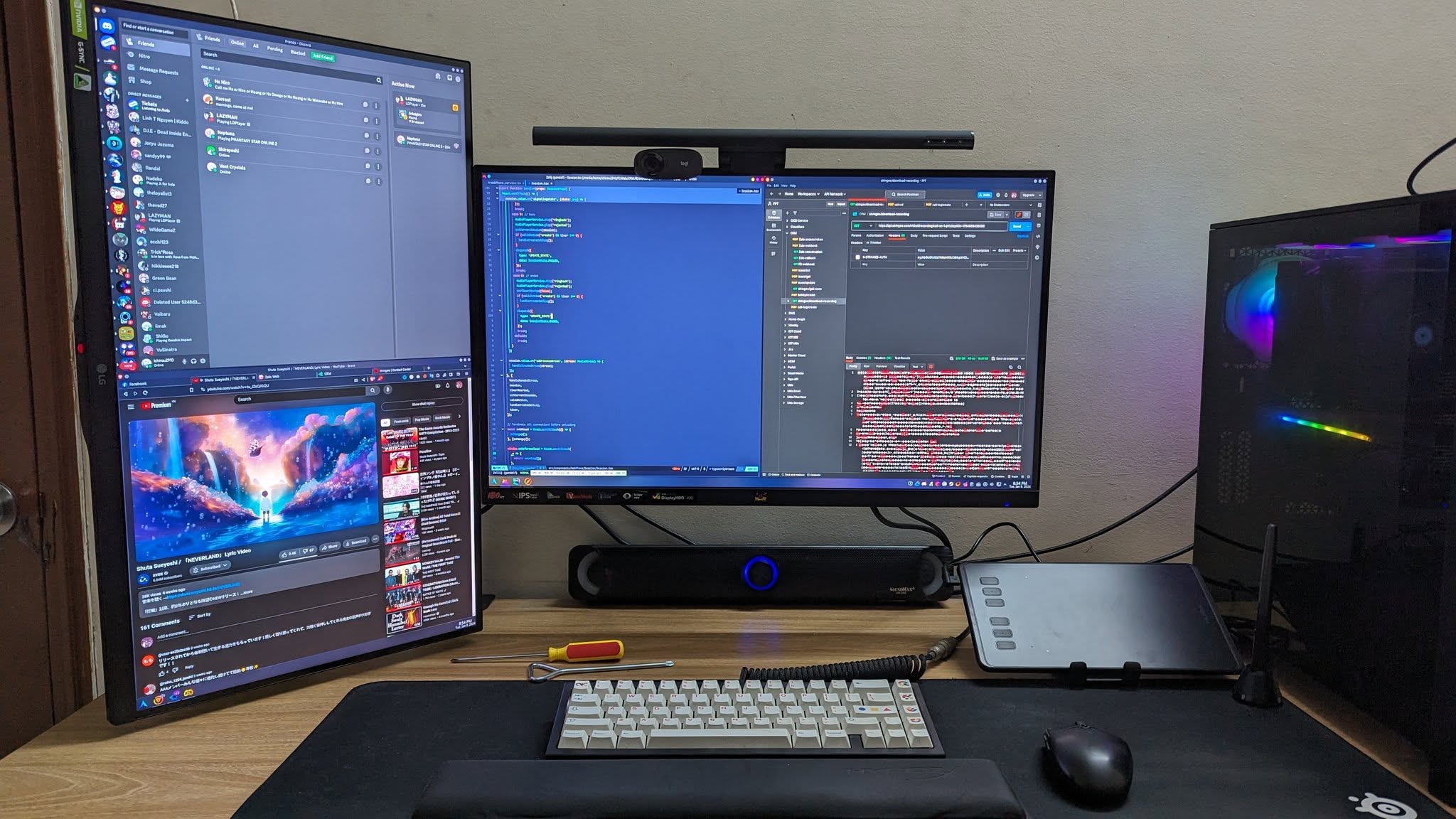 My Desk Setup in early 2024
Pardon my lack of screenshots from here. I stop doing that after I switched to Openbox. Now I just focus on taking pics of my desk setup.
To be very honest, I didn’t necessarily need Wayland that much. I could stay with Openbox and X11 just fine. Games were still running well, all my workflows still, well, worked. But then again, curiosity got the better of me. I wanted to try Wayland, to see what the hype was about. So I decided to go back to KDE Plasma, but this time, on Wayland.
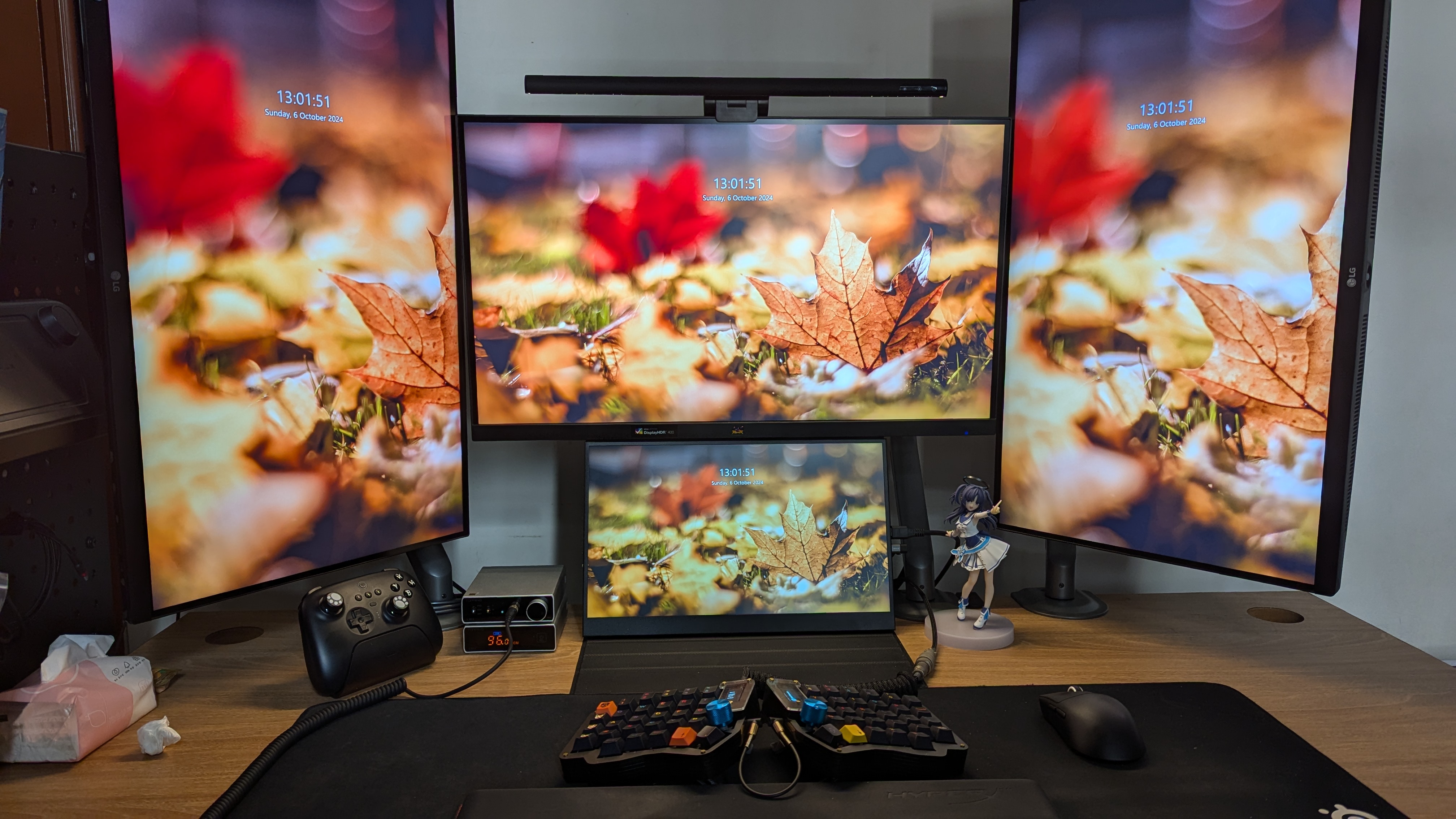 My Desk Setup in late 2024, feat. Sofle keyboard
It was around this time that I changed job and started working from home, so my desk setup also changed a lot. My focus then was on ergonomics and productivity. I got more monitors, a better chair, a height-adjustable desk, a split keyboard, etc.
The transition to Wayland was pretty much smooth sailing. I have used KDE before, this is just going back to it. KDE team has done a great job with KDE 6. I tried out some of the popular themes like Sweet and Nothing, but after a while I set everything back to default, barring keyboard shortcuts. KDE’s OOTB experience is just that good, I don’t think I need any more fancy theme. I have gone another full circle.
2026: The unexpected Niri
Once again, I thought of settling down with KDE. And yet once again, life had other plans for me. This is exactly the reason why I didn’t publish this post earlier.
As I focus more on ergonomics and productivity, I started noticing some problems with my current setup. Having multiple monitors is great for multitasking, but it also means more neck movement and eye strain. I also noticed that I don’t really need all the apps on the screen at once. Having them all over the place means I have to move my mouse around a lot.
During this time, there was a lot of talk about a window manager called Niri. I did not care too much about it. When I saw the “tiling window manager”, I was like “Nah, not again” then ignored it. It was just recently when I randomly watched this video about someone’s setup that I realized Niri is not your usual tiling WM. It’s actually a scrollable-tiling WM (or compositor in Wayland terms). The more I read into it, the more I resonated with its philosophy. This is truly what I have been looking for.
Through past experience, I won’t just blindly jump into it. To test its efficiency, I removed my 2 side monitors, leaving only the center and the bottom one, then use it normally. I have been meaning to buy a trackpad to replace my mouse, since I replaced my Sofle keyboard with urchin, which is wireless, and set them shoulder width apart. I have tried a trackball and keyboard’s mouse feature before and did not really like it. I find the trackpad to be a more viable option, and it plays especially well with Niri’s movement. You can do 3-finger swipe to switch between windows, 4-finger swipe to toggle overview, etc.
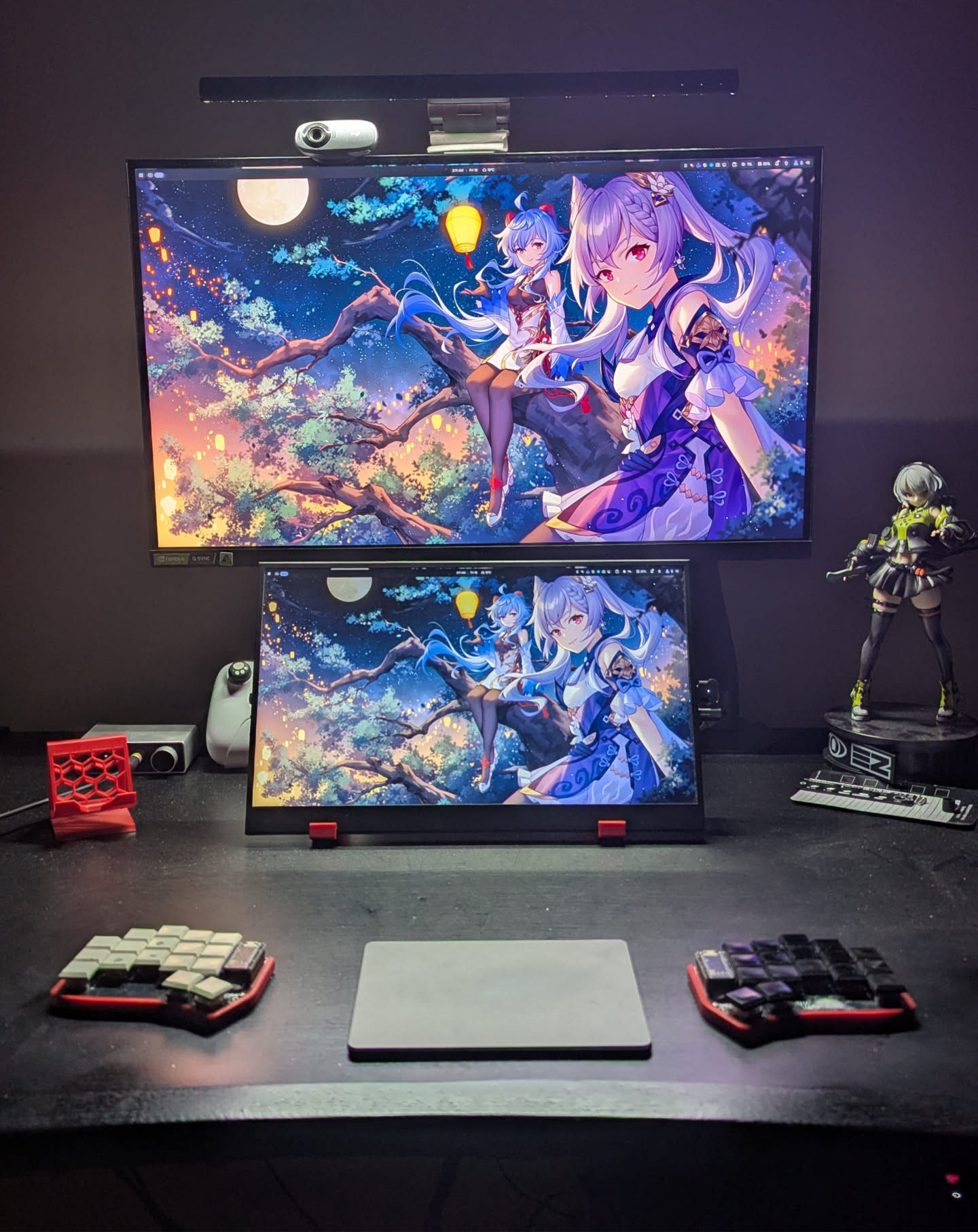 Niri, feat. urchin keyboard
After a few days of testing, I was sold. Niri is exactly what I wanted. The scrollable “layered” workspaces allow me to have multiple apps open while only focus on a few. It’s tiling nature also works well here since new windows will keep expanding to the right instead of trying to squeeze itself into the screen. I also setup DankMaterialShell, per the Niri quickstart guide, and it also works really great ootb. I have only been using it for a week, so that’s my impression for now.
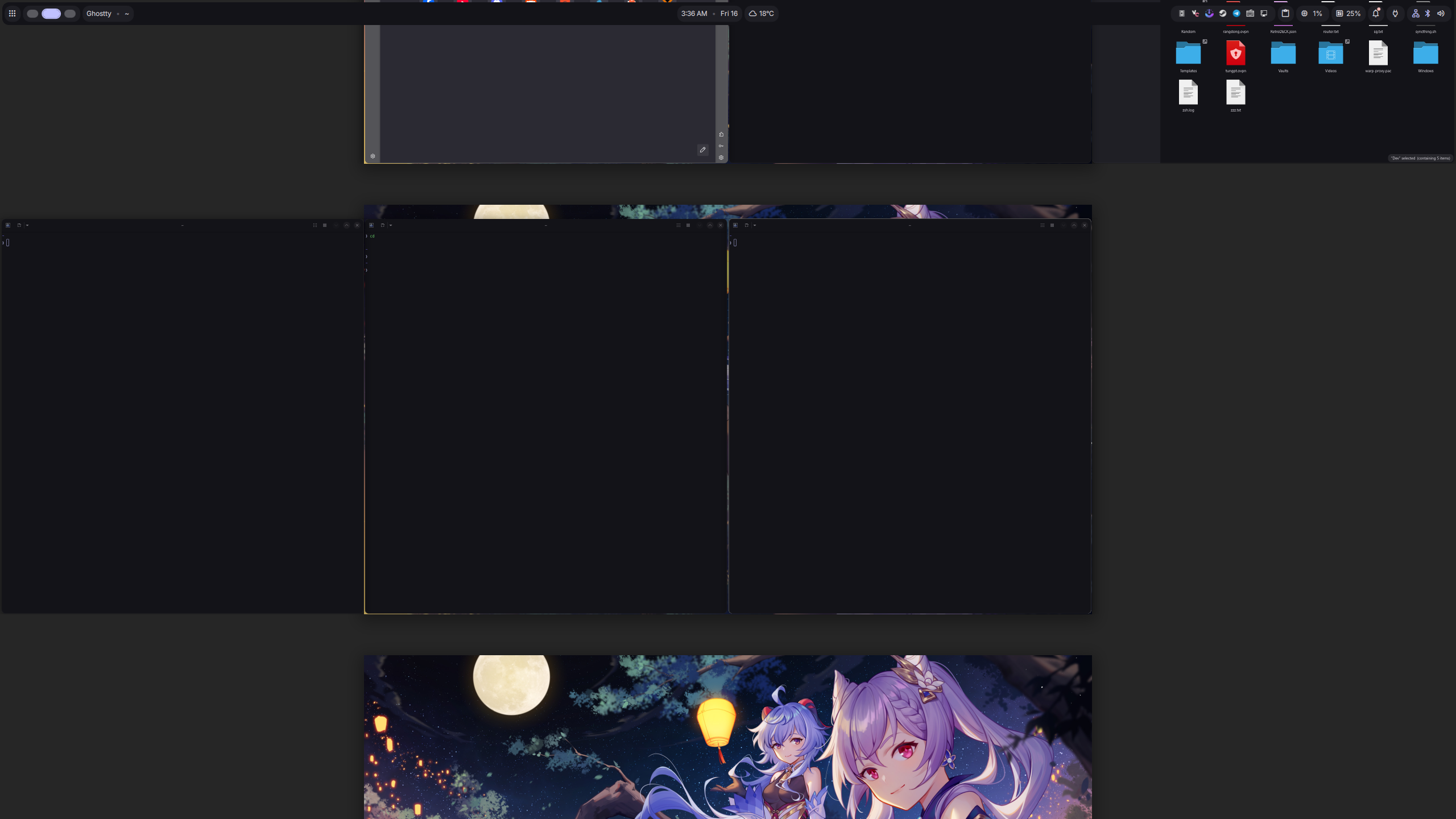 Niri’s overview mode
What’s next?
After 8 years of using Linux, I am still exploring and finding new things. I have tried different desktop environments, window managers, and a bunch of apps along with them. Each one has its own pros and cons, and I have learned a lot from each experience. There are a lot more desktops and WMs out there, maybe one day if the time comes I will try them out. The journey is far from over, and I am excited to see what I will discover next.
Thank you for making this far, I hope it’s been a great read. Writing this is like walking down a memory lane, as if I was reliving those days. If you also want to share your journey, feel free to do so! I’d love to hear about it.